


Some of the steps you will take when you order your new license:
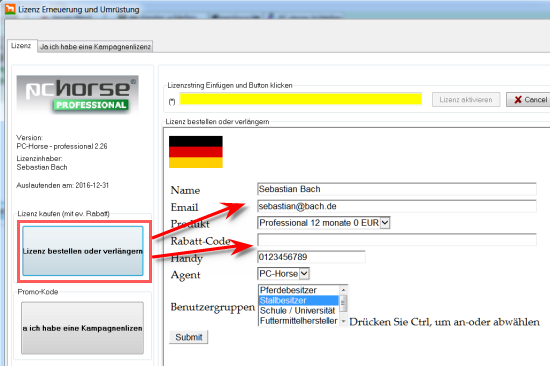
- Enter information in all fields. Click the "Continue" button
- Check your input values. Return to correct them if neccesary or proceed to payment.
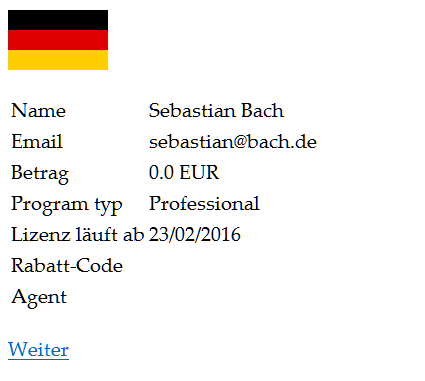
-
Follow the instructions on how to pay with your credit card.
- You will be informed if something is wrong in the payment procedure
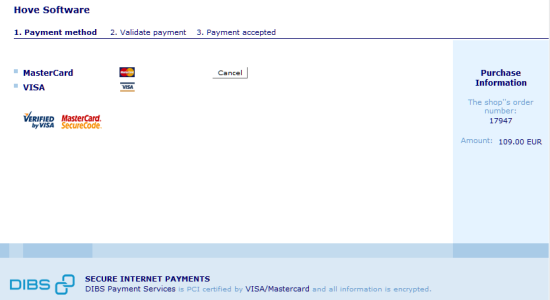
When payment is accepted, you will receive your license code by email and on your screen.
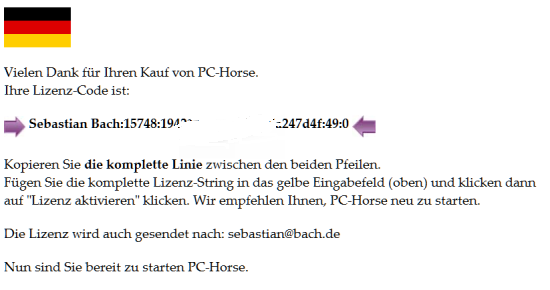
Starting with version 2.24, your new license string will be automatically loaded into the program when you have completed the purchase.
Otherwise, do the following:
- Copy your new personal license code from either source.
- Paste it into the upper yellow field: (*)
- Click the "Activate license" button. PC-Horse will be ready for your new license extension or program version. You may be asked to restart the program if you are updating to a higher version.
- A copy of the licence code is sent to your email address. Save it for later use.
NB! Save your license in a safe place. The license is personal and any abuse of it is illegal. All downloads and updates are controlled by PC-Horse. The license will be invalidated if used by non-authorized persons.