





Select brand
You can save time and work by copying all the feeds within a brand in one go:
1. Select "Feedlist menu>Feed>Select brands" to open a screen that allows the selection of individual brands.
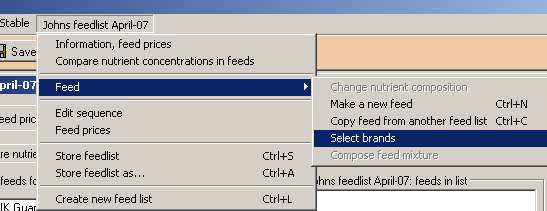
2. Select you donor feed list, and the relevant brands. Click OK.

3. Go to the tree-view under the tab "Information" to inspect the selection of feeds.


