New treatment name
In the treatment window for a horse you may create a new treatment name for a particular (default) treatment type by clicking the "plus-button".
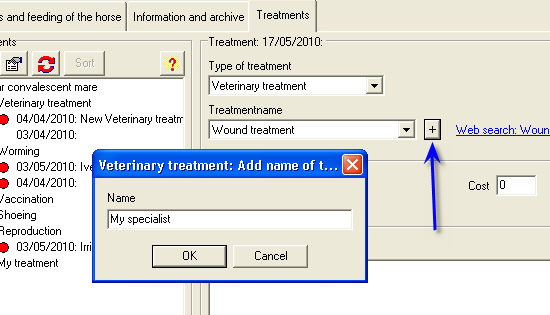
After clicking "OK", the configuration window for global treatments opens. From here, you can make the newly-created treatment name available for all horses in the PC-Horse program. It will also be accessible from the top menu under "Configurations/Treatment information"
The numbered diagram below shows the steps involved:
1. Enter the number of days you choose before warnings are triggered
.. add more treatment names with:
2. Select treatment type
.. and
3. Click "New name"
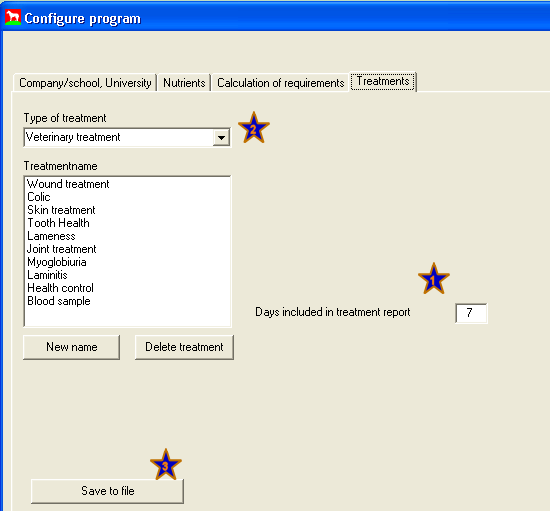
Finish by clicking "OK" and saving the new information by clicking on: