





Recording treatments
Recording the completion of a treatment:
1. Open the treatment record you wish to complete, then click the "DONE" button.

2. Enter a date for the completion of treatment. Use the calendar provided or your own date format. Save the treatment record.
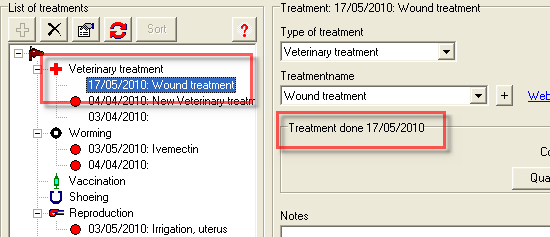
3. When you click to save, the list will be updated. The warning circle disappears indicating that the treatment is done.


